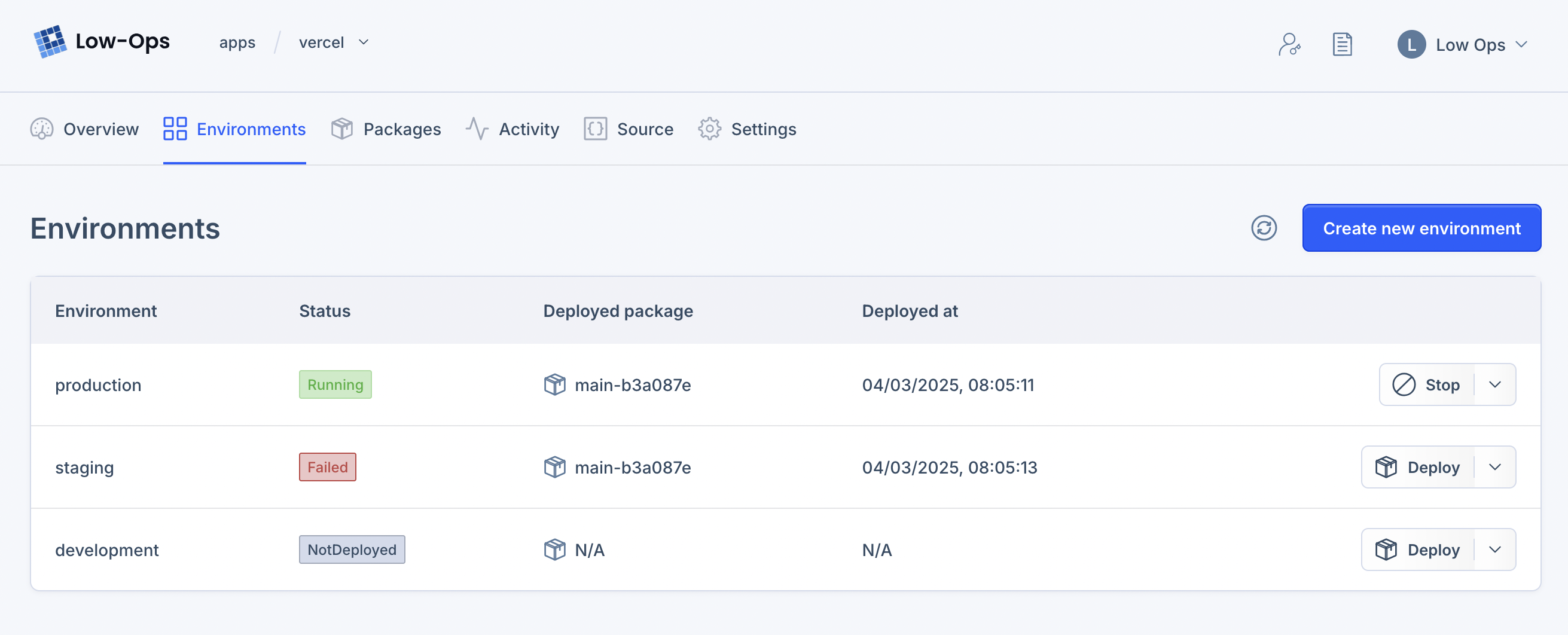
Environments
Environments represent different stages of application deployment, such as development, testing, staging, and
production. Each environment has its own set of configurations, resources, and permissions. Environments provide you
with an isolated instance of all services in a project.
In Low-Ops, you can easily create and manage environments for every stage of your application, ensuring smooth deployment and seamless operations.
Accessing Environments
To access the Environments page, navigate to the Application > Environments tab in Low-Ops.
Creating an Environment
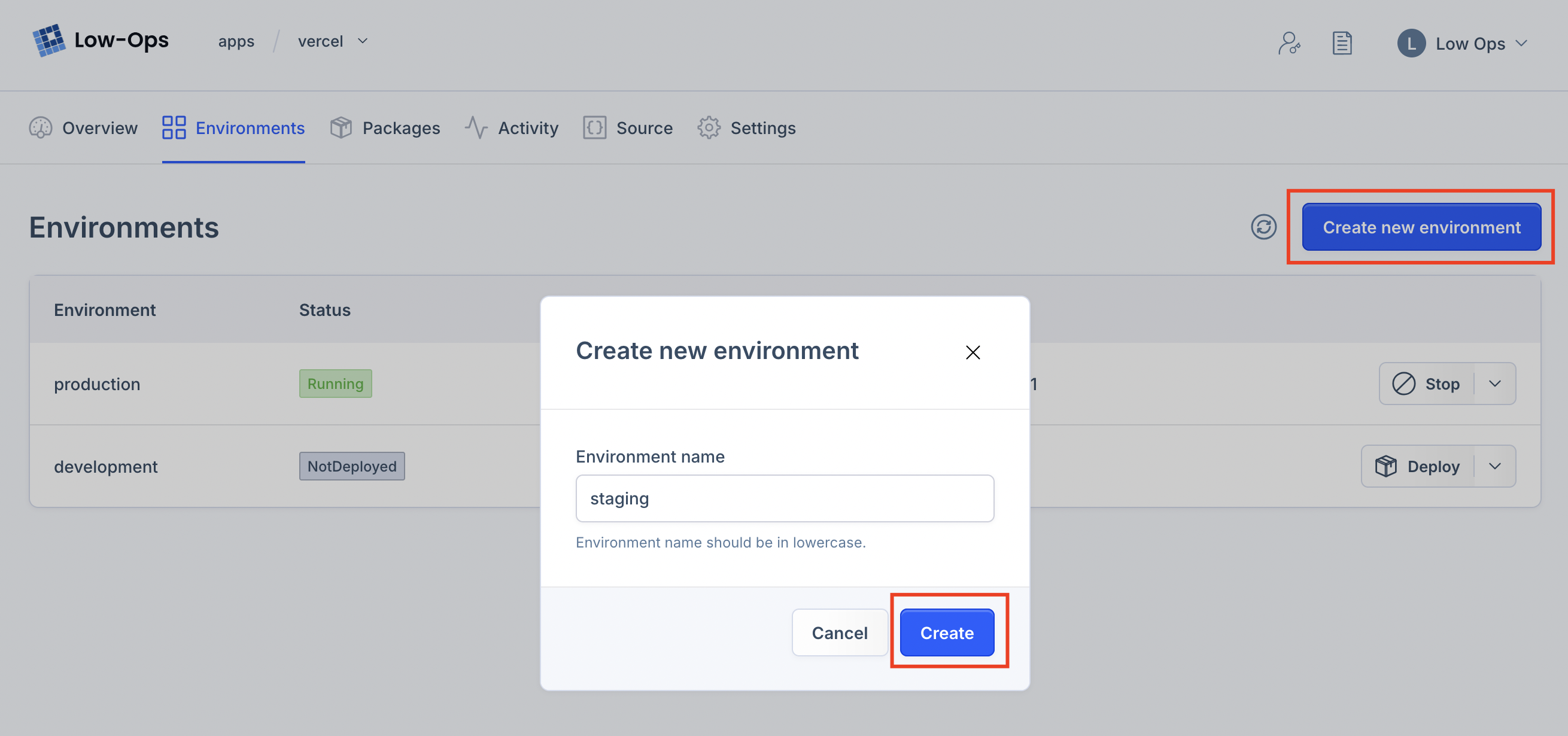
To create an environment, click the Create new environment button in the Environments tab. Give your environment a
name and click Create. All resources will be created in the new environment.
Environment Details
To view environment details, navigate to Application > Environments > [Environment Name].

Deleting an Environment
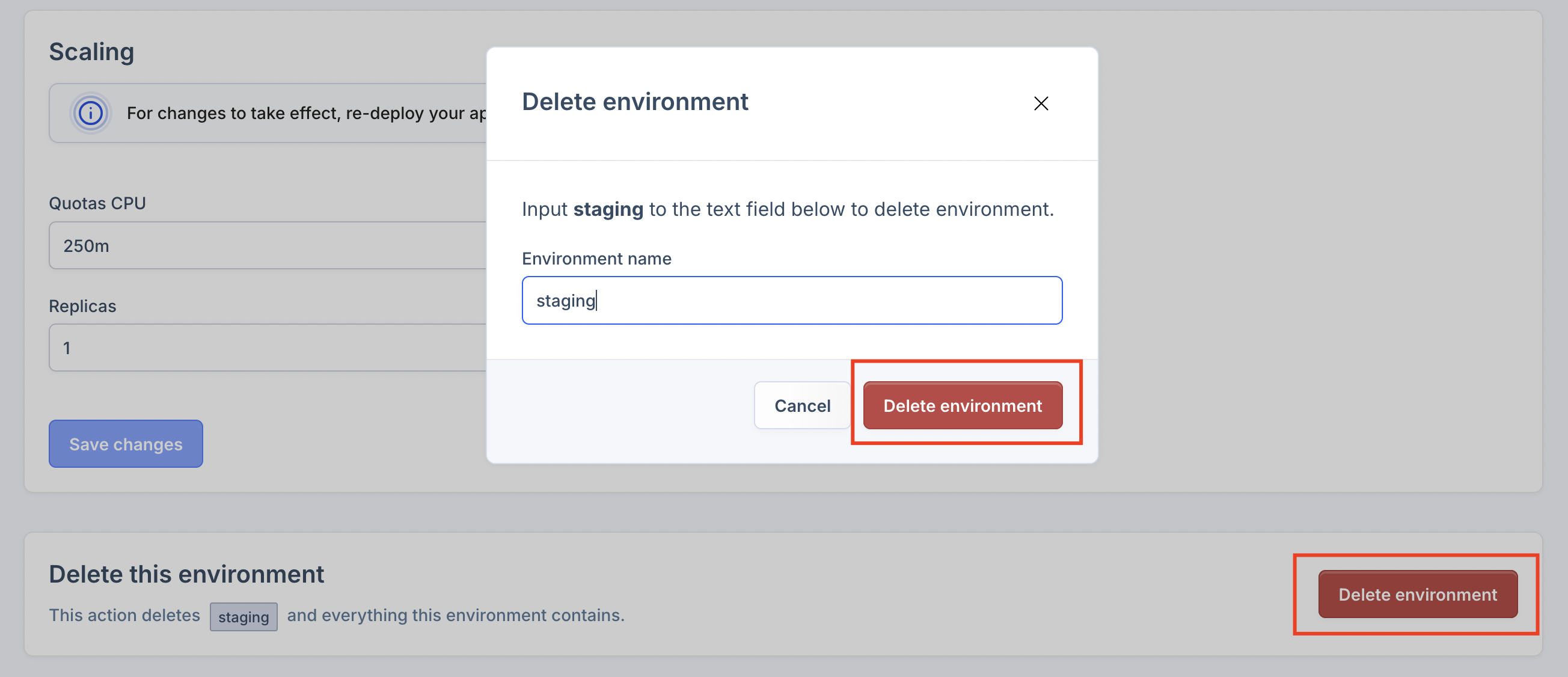
To delete an environment, navigate to the environment settings screen and click the Delete Environment button at the
bottom of the screen.

Protected Environments
Protected environments are environments where you can't deploy unapproved packages.
Protected environments marked with a lock icon.
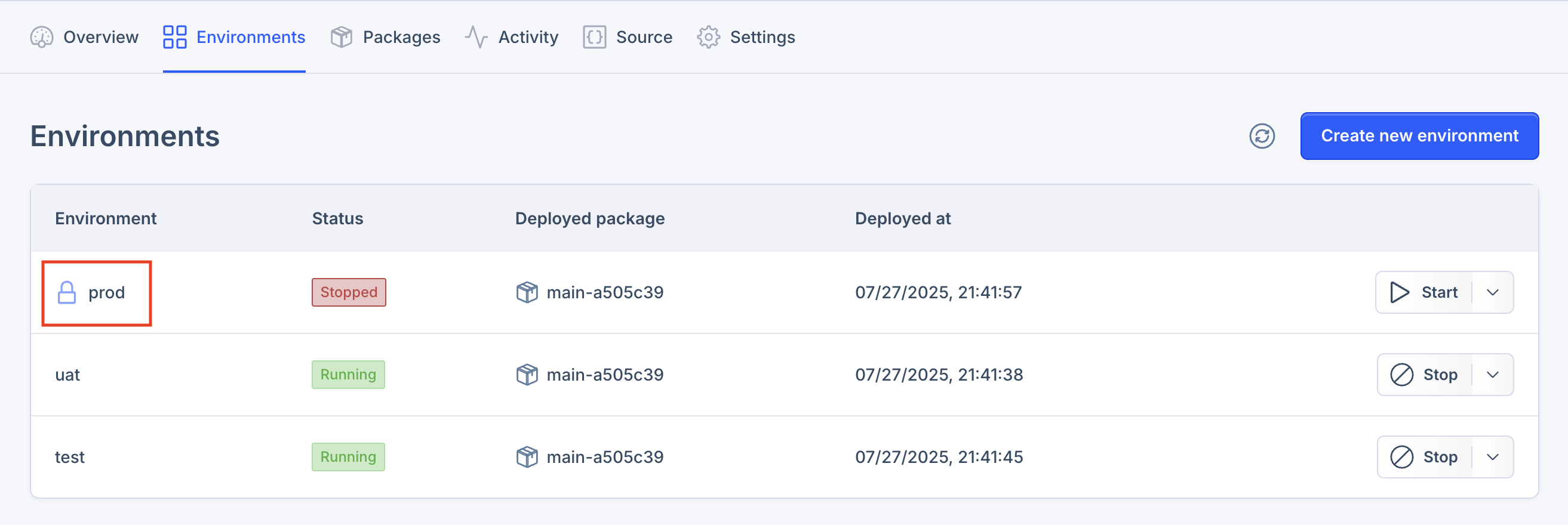
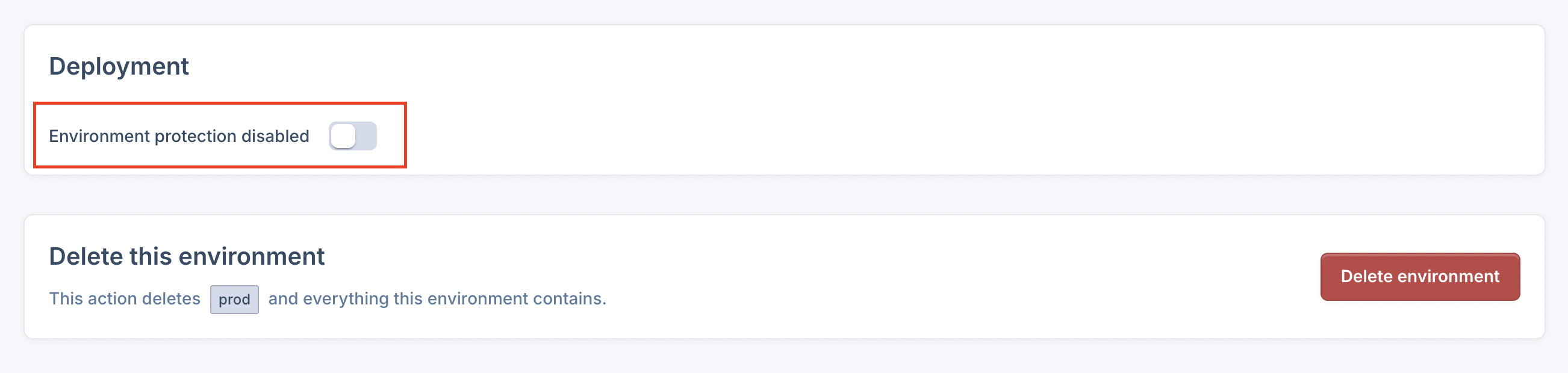
To protect an environment, navigate to the Application > Environment > Settings screen and click the
Environment protection button at the bottom of the screen.