Actions
Environment actions let you to Deploy, Start, Stop, Restart the environment.
Deploy was already described in the Deployment section.
There are two places from where you can access to the actions:
Application > EnvironmentsApplication > Environment > Overview
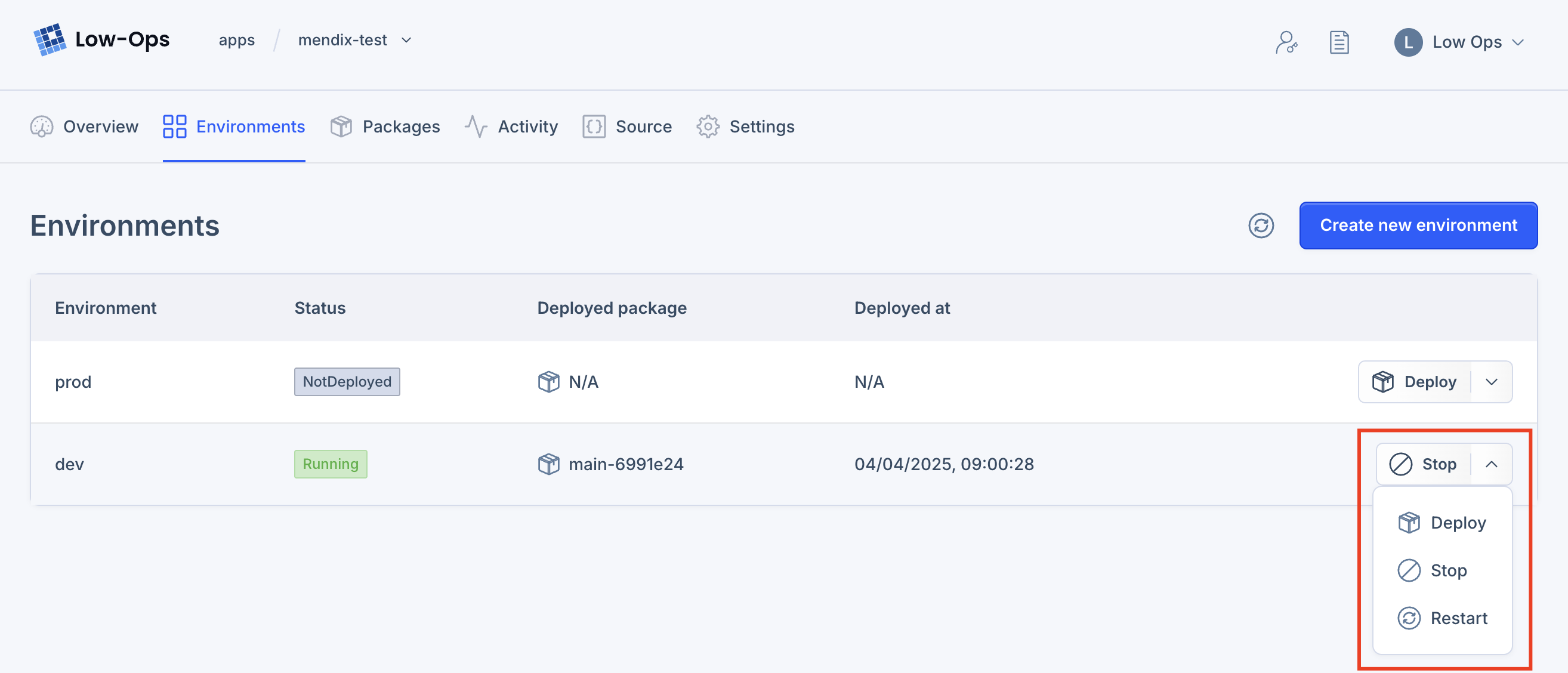
Start environment
You can start the environment by clicking on the Start button in the environment action menu. The Start action will
be available if the environment is Stopped.
Stop environment
You can stop the environment by clicking on the Stop button in the environment action menu. The Stop action will be
available if the environment is Running.
Restart environment
You can restart the environment by clicking on the Restart button in the environment action menu. The Restart action
will be available if the environment is Running.
Environment statuses
Deploying: The environment is being deployed.Starting: The environment is being started.Stopping: The environment is being stopped.Restarting: The environment is being restarted.Running: The environment is running.Stopped: The environment is stopped.Failed: The environment failed.