Settings
Configure your environment with settings for domain, scaling, and environment management.
Go to Application > Environment > Settings to access these settings.
Domain Settings
Domain settings configure your environment's domain. The default URL format is [app name]-[environment name].[domain].
You can:
- Use a custom URL
- Add
TLS CertificateandTLS Certificate Keyto enable TLS
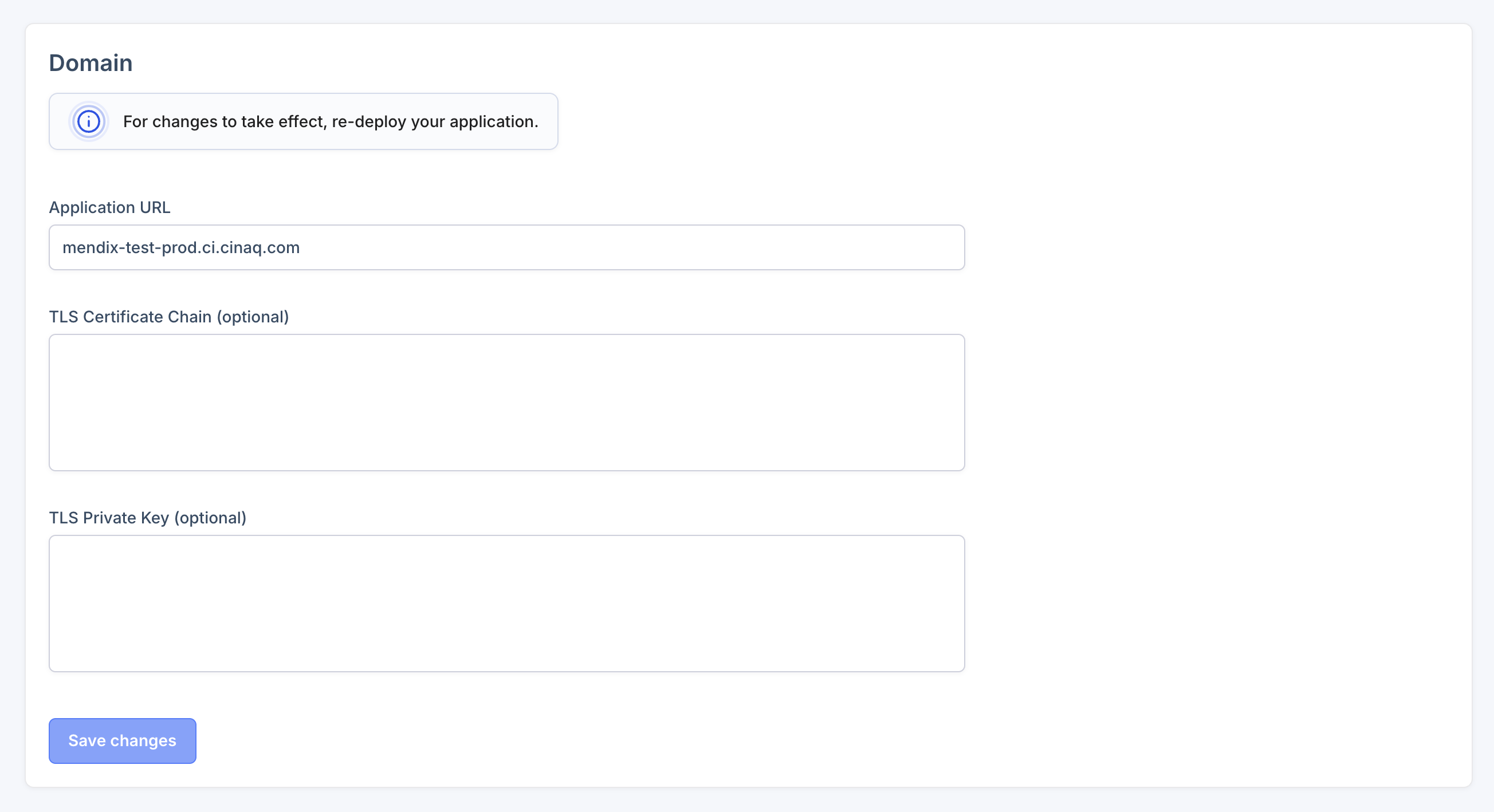
Re-deploy the environment to apply new domain settings. Deploy Environment.
Scaling Settings
Adjust your environment's resources:
- CPU allocation
- Memory allocation
- Number of replicas
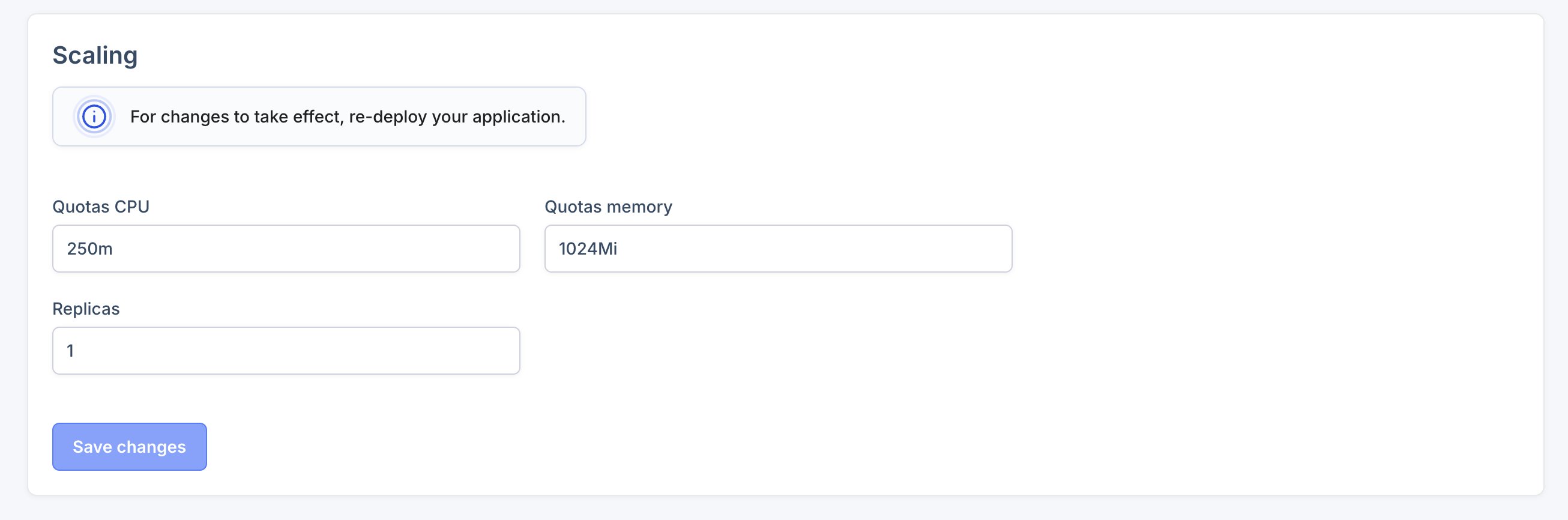
Re-deploy the environment to apply new scaling settings. Deploy Environment.
Delete Environment
Remove the current environment and all its resources.
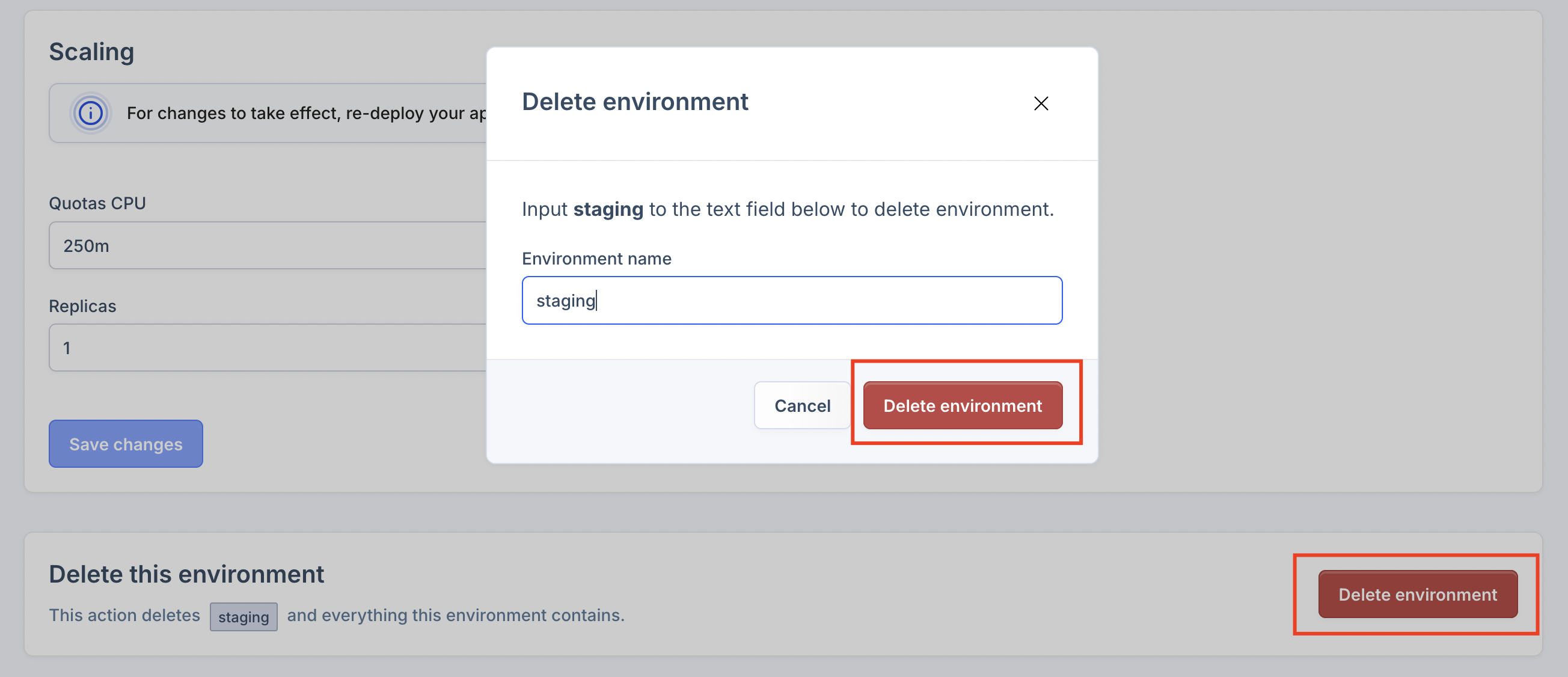
This action cannot be undone. All environment resources will be permanently deleted.
Mendix Access Settings
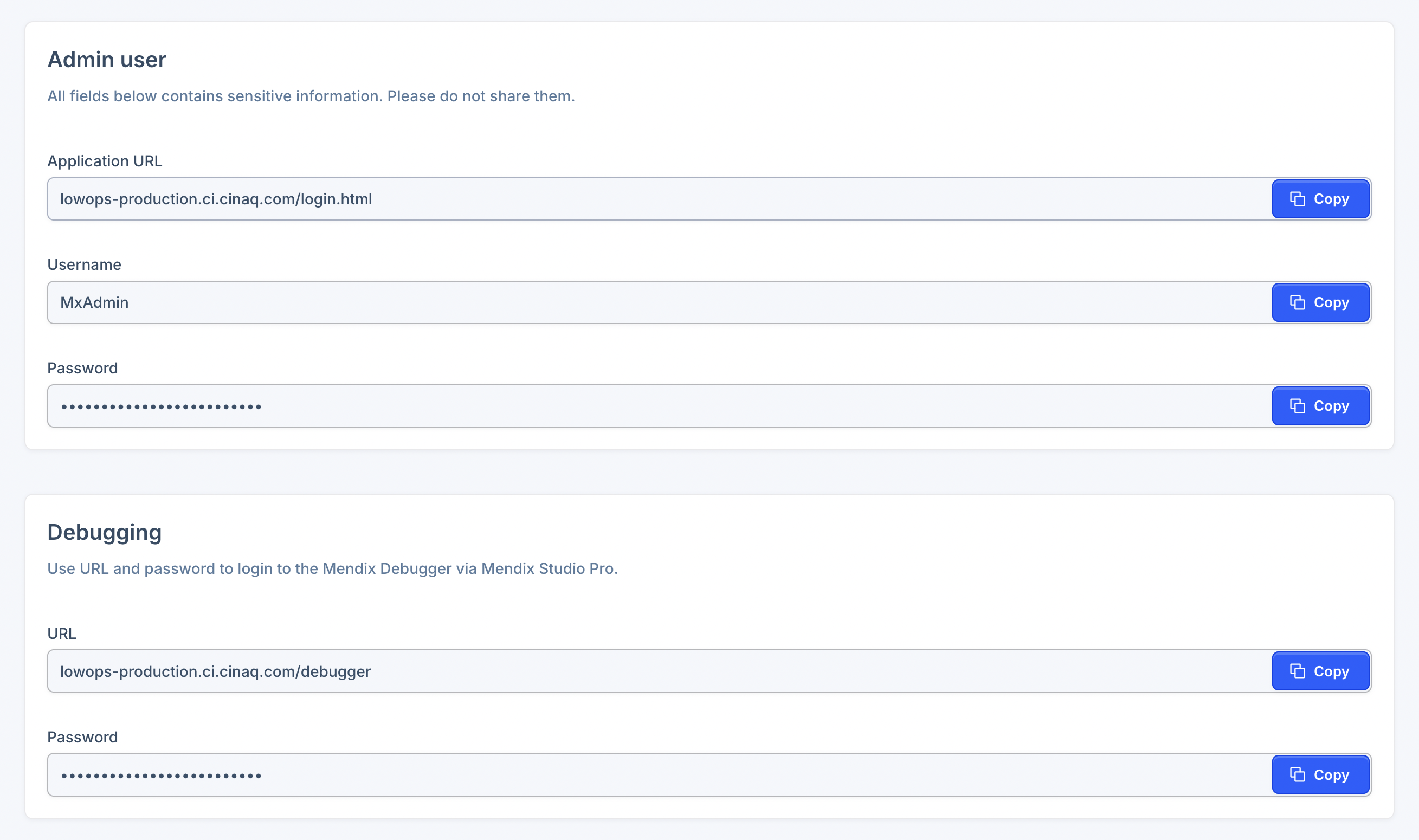
Get login credentials for:
- Mendix Studio Pro
- Mendix Debugger
Mendix Runtime Settings
Manage Mendix runtime configuration:
- Add new settings
- Edit existing settings
- Remove settings
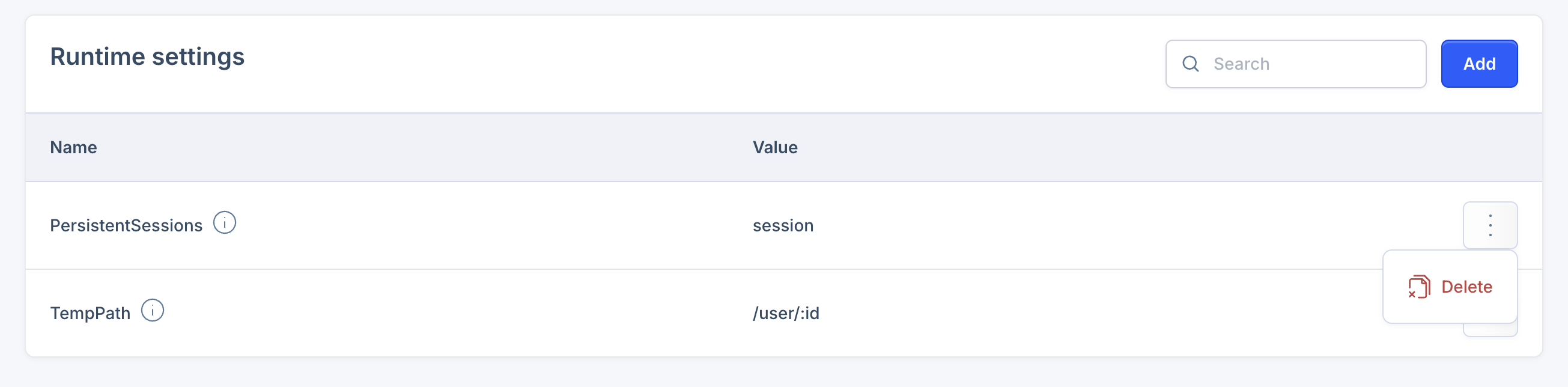
To override the application URL, add ApplicationRootUrl with your custom URL as the VALUE.
Re-deploy the environment to apply new runtime settings. Deploy Environment.