Deployment
Deployment is how you publish your application to the internet. There are three ways to access the
Environment Deployment
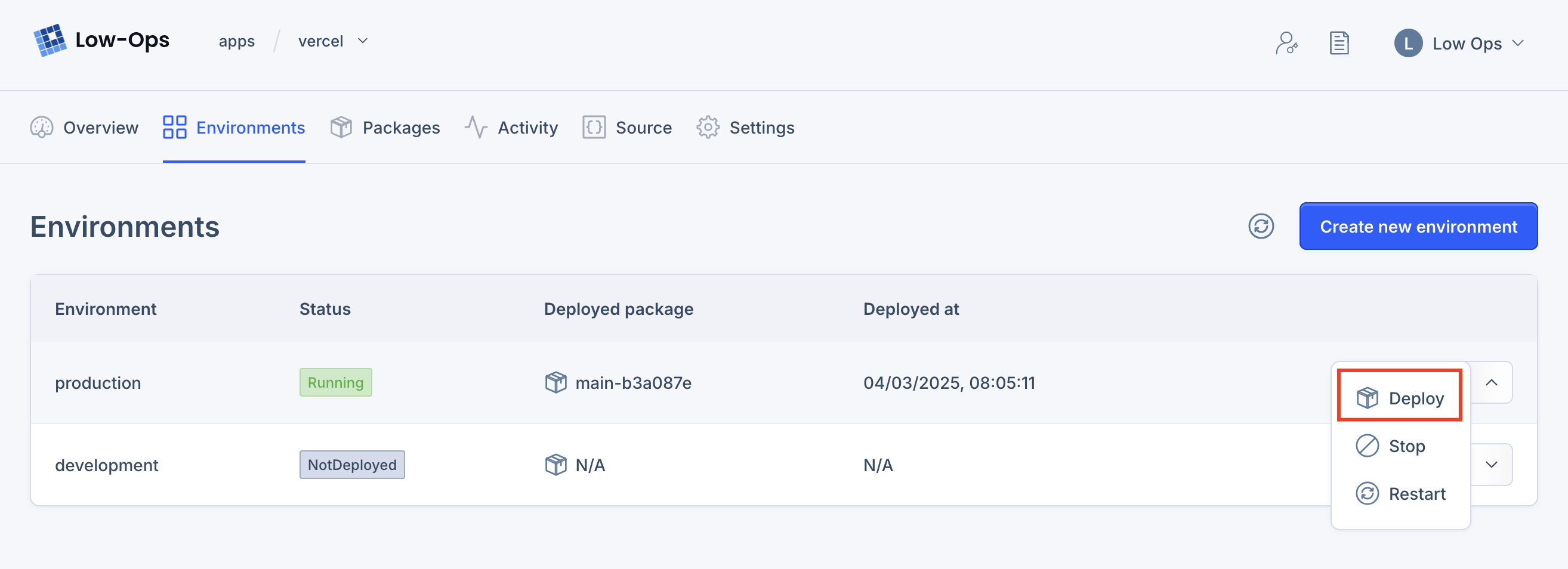
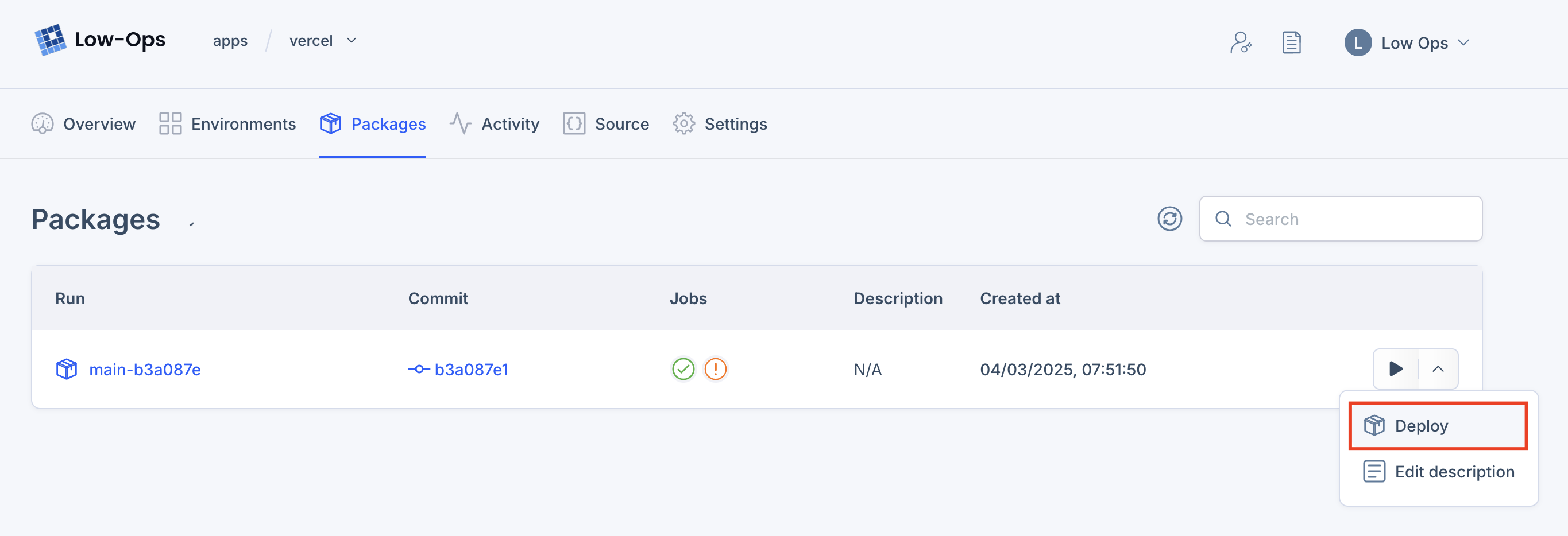
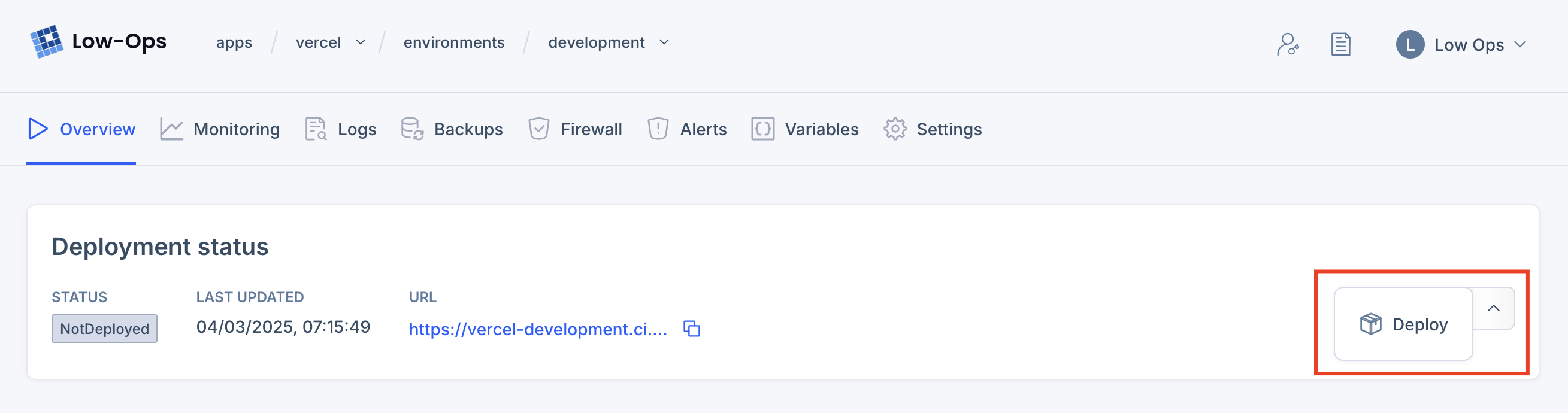
- From the
Environmentstab, inApplication > Environments - From the
Packagestab, inApplication > Packages - From the
Environment Overviewpage, inApplication > Environment > Overview
Deployment from Environments
Deployment from Packages
Deployment from Environment Overview
Deploying the Environment
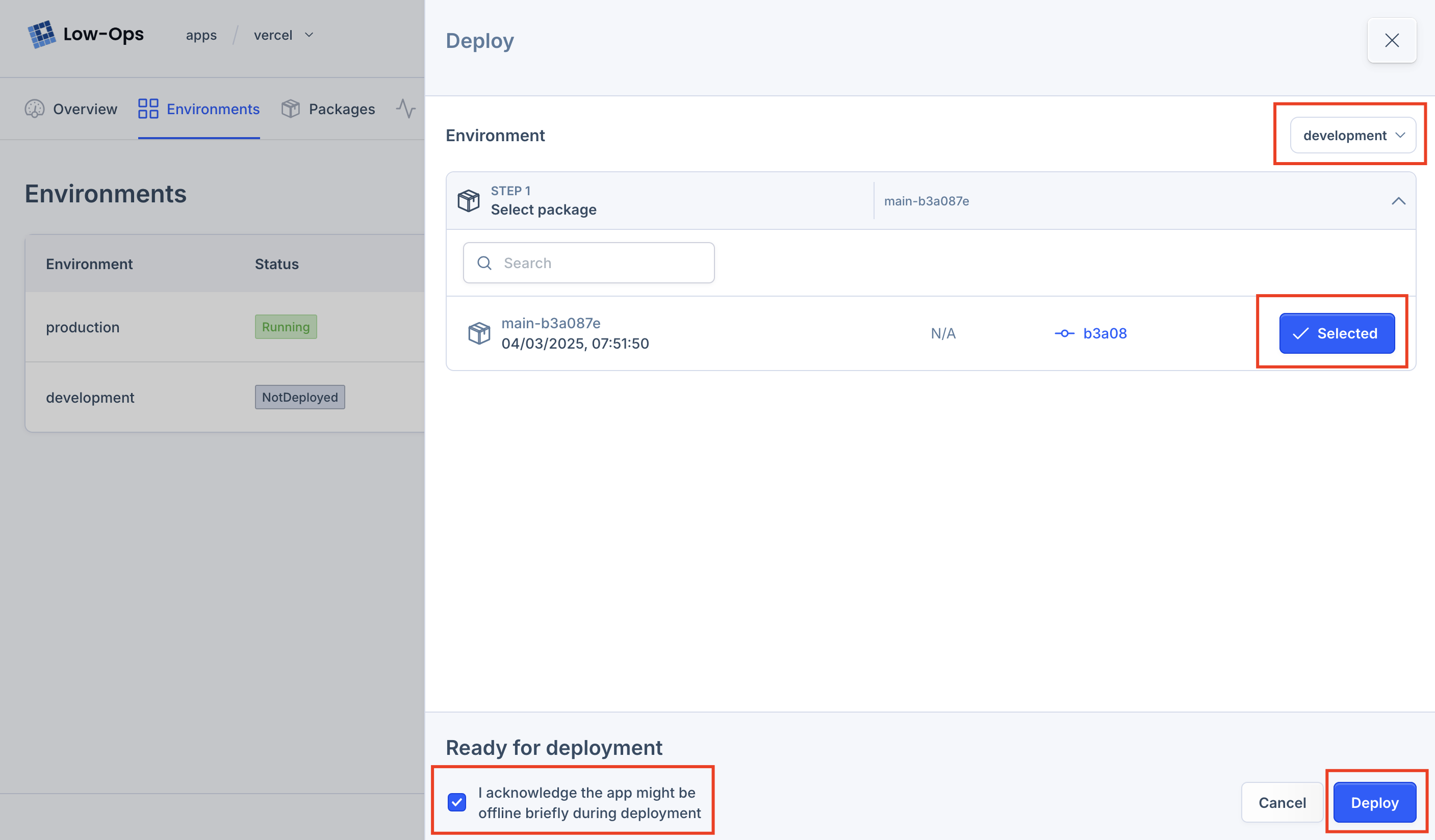
In the deployment panel, make sure you select correct environment and package.
Check the acknowledgement and click on Deploy button.
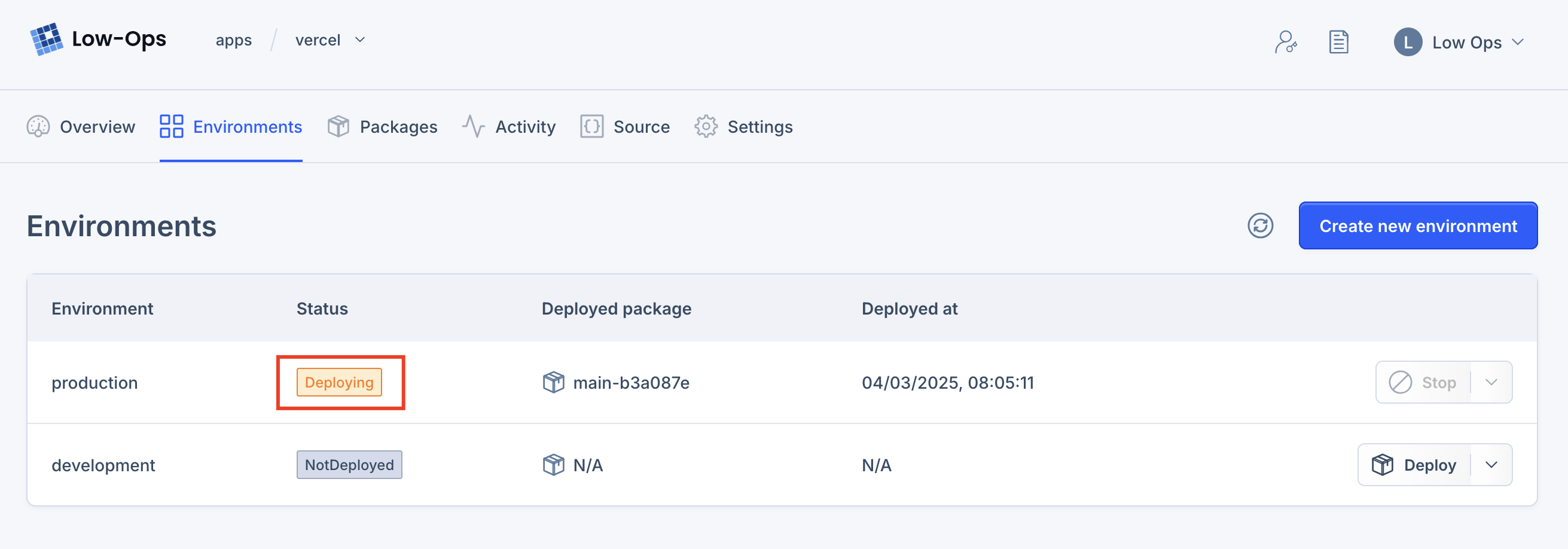
You will see the Deploying status on your environment.
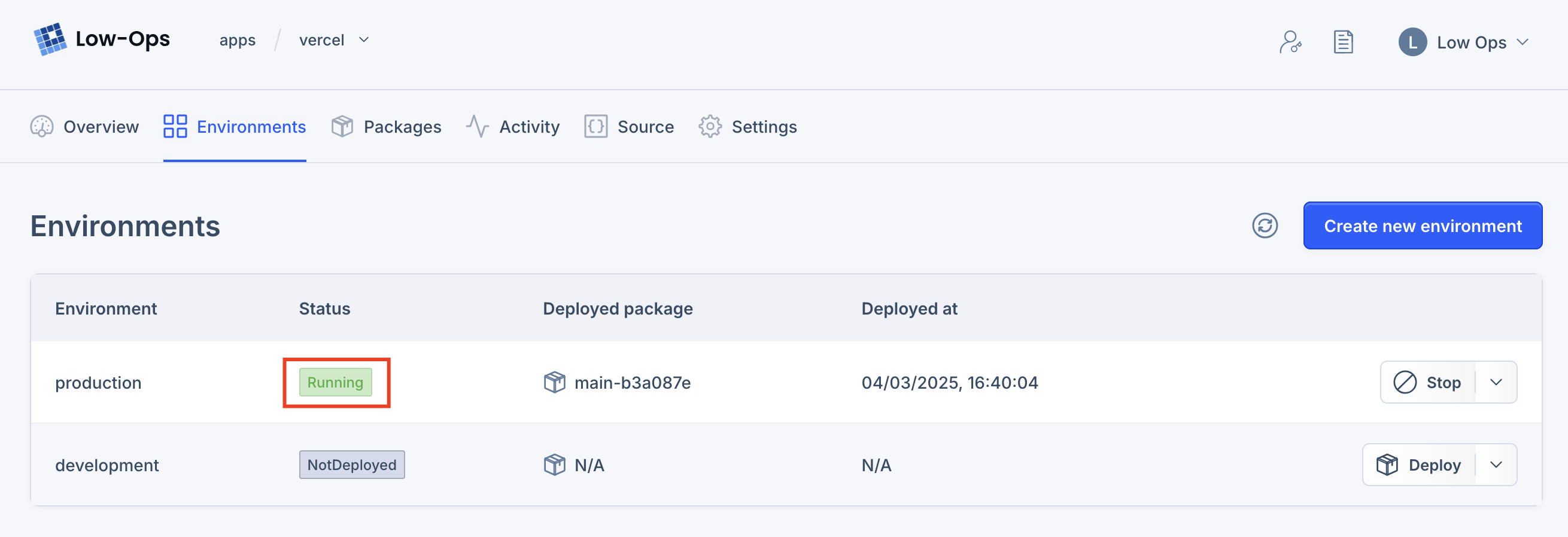
Once the deployment is complete, you will see the Running status on your environment.
Mendix app deployment
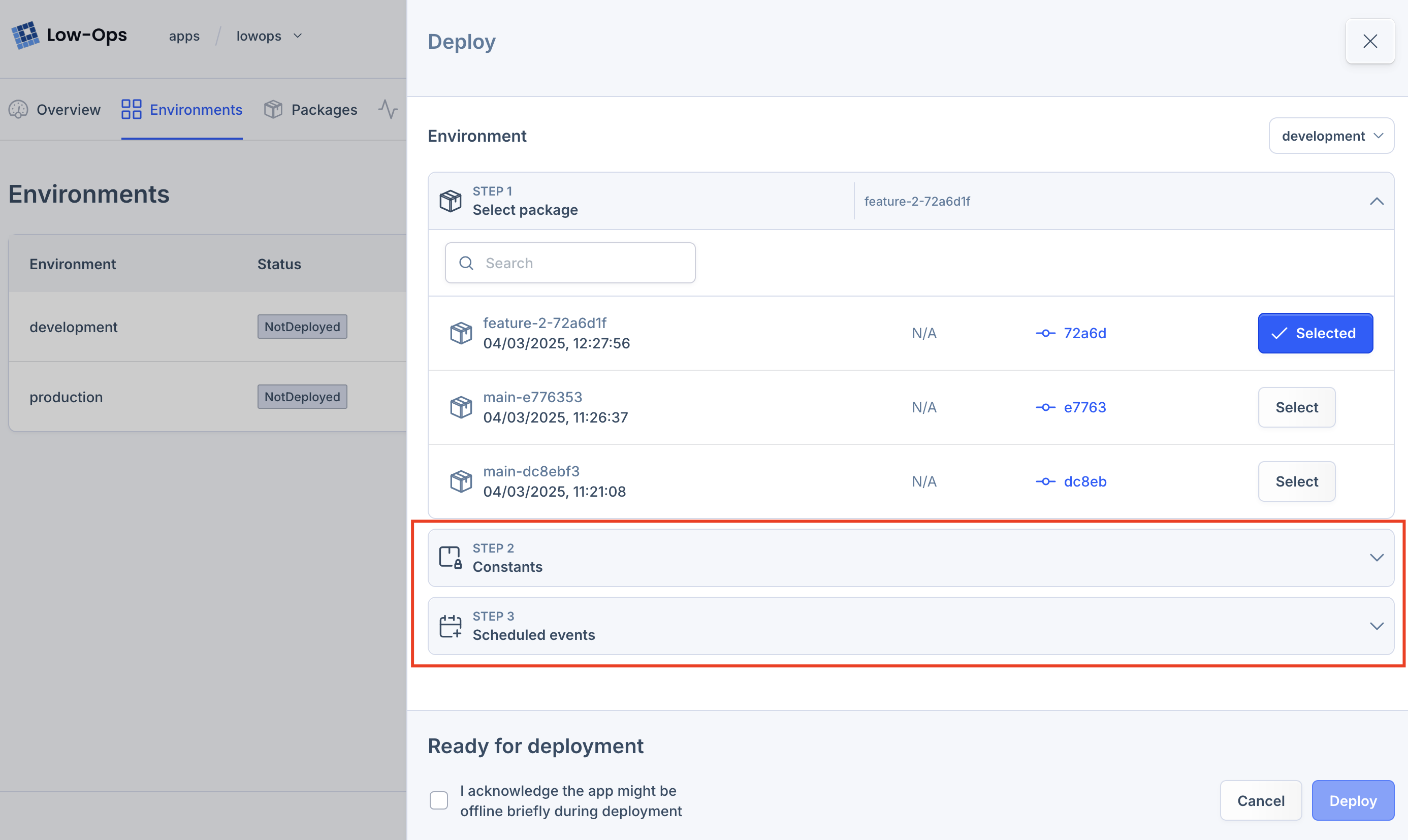
When you deploy a Mendix app you can also configure Constants and Scheduled Events.
Automatic Deployment
Automatic deployment is a feature that allows you to deploy your application to the environment automatically when you push a new commit to the repository.
Automatic deployment will work only for non-protected environments.
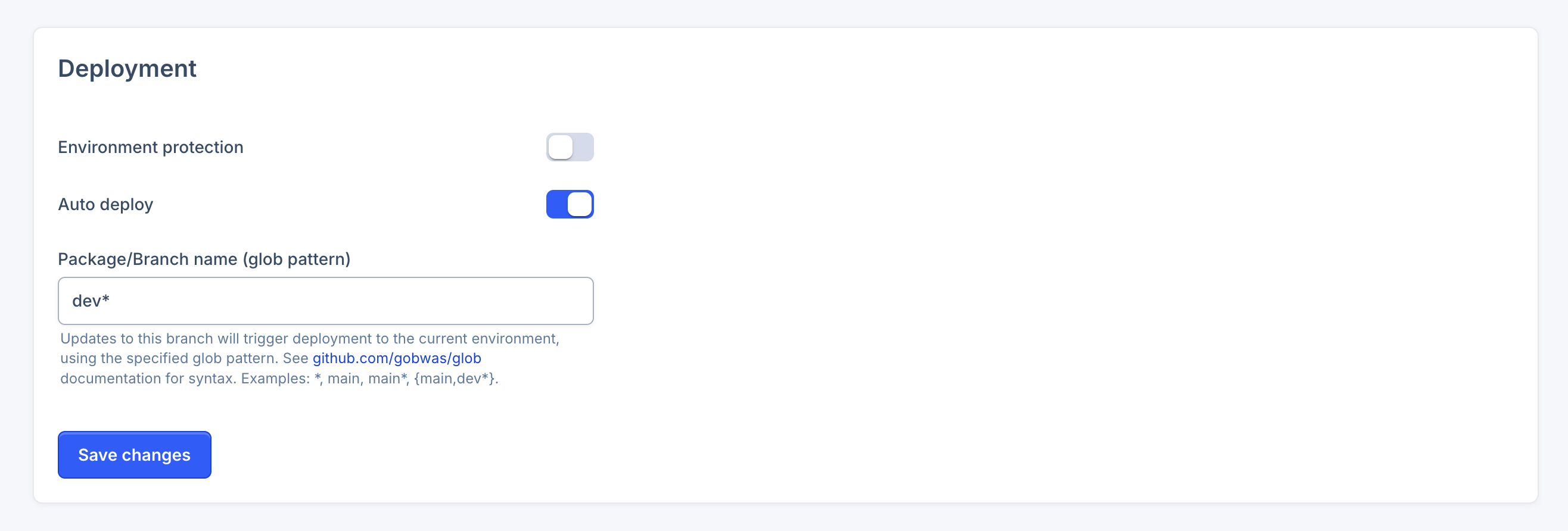
By default automatic deployment is disabled. To enable it, navigate to the
Application > Environment > Settings > Deployment and enable the Auto deploy switch. After that, define the branch
names as glob pattern.
When you push new commit that meets the branch pattern, the environment will be deployed automatically.